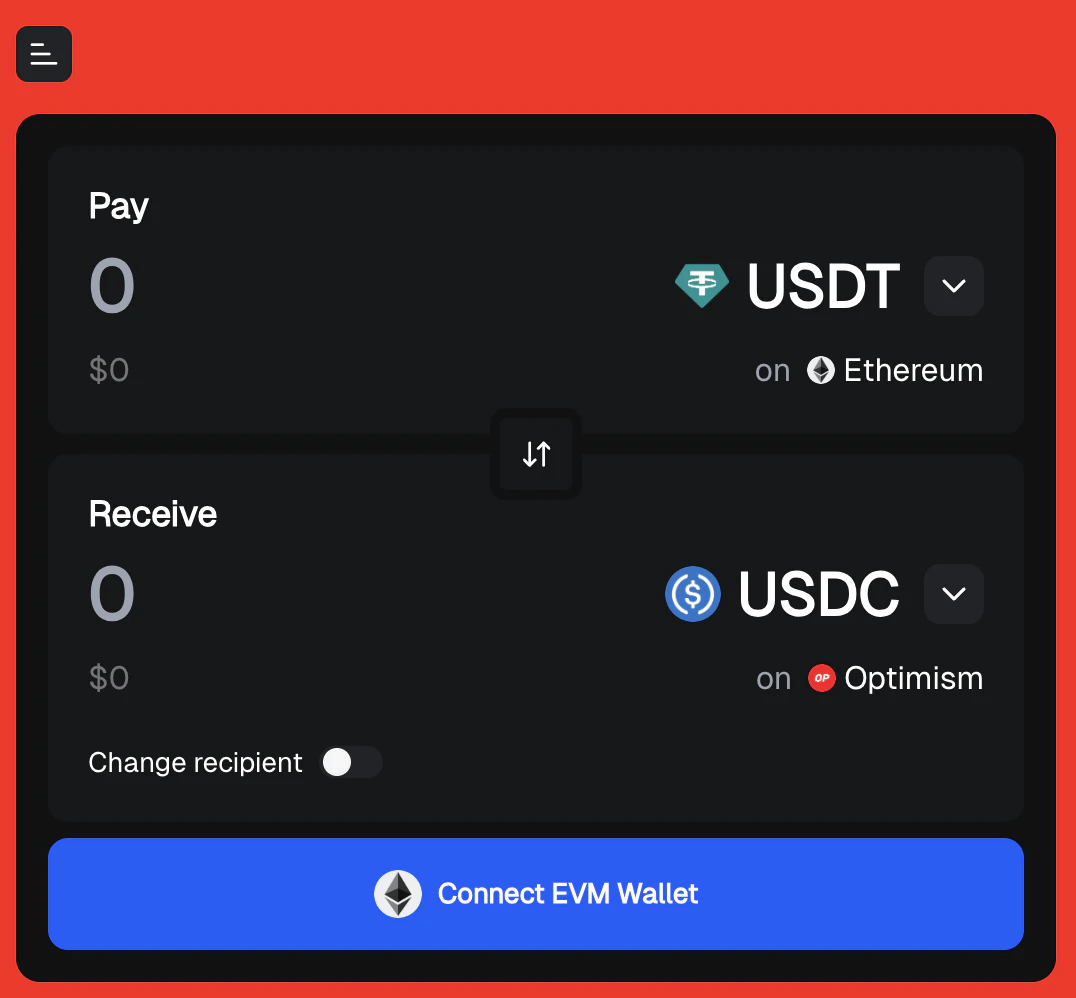
Mach Embed Integration
Mach supports embedding into third-party websites via iframe. Use the/embed path to access the embed-specific version of the application.
URL Parameters for Customization
The embed version accepts the following URL parameters for customization:Theme Customization
themePrimary: Primary color for buttons (hex format, e.g.,%23349FFDfor #349FFD)themeBackground: Background color (hex format)themeModalBackground: (EXPERIMENTAL) Background color of the Swap In Progress flow, which is more stably impacted using theuseIntuitiveColorDefaultsparam belowshowBranding: Whether to show “Powered by Mach.Exchange” (default:true)hideAIInput: Whether to hide the AI input box (default:false)useIntuitiveColorDefaults: Whether to use automatic color complementary pairing when only one color is provided (default:false). When both primary and background colors are provided, this parameter has no effect.
Logo Customization
logoUrl: URL of the partner logo to display (URL-encoded)logoHeight: Height of the logo in pixels (numeric value, default: 40)logoWidth: Width of the logo in pixels (numeric value, optional)logoPosition: Alignment of the logo, options:left,center, orright(default:center)
Pending Transaction Indicator
showPendingTX: Whether to show the pending transaction indicator (default:false). For best results, pair withshowHamburgerMenupendingTXPosition: Position of the pending transaction indicator, options:left,center, orright(default: opposite to logo)
Hamburger Menu
showHamburgerMenu: Whether to show the Mach hamburger menu (with its links adjusted for Embed mode, default:false)
Token Configuration
chains: Comma-separated list of chain IDs to restrict available networksfrom: Source token in formatchainId:tokenAddressto: Destination token in formatchainId:tokenAddressdestinationWallet: Custom recipient wallet address for receiving tokens (enables “Send to different wallet” mode)
Additional Notes
- All color values should be URL-encoded (e.g.,
%23instead of#) - The
destinationWalletparameter configures a default destination wallet, routing users’ order destination to the specified address unless they change it - When
hideAIInput=true, the AI-powered input interface will be hidden for a more streamlined experience - Logo URLs must be properly URL-encoded
- Chain IDs should correspond to supported networks
- Token addresses should be valid contract addresses for the specified chains
Example URLs
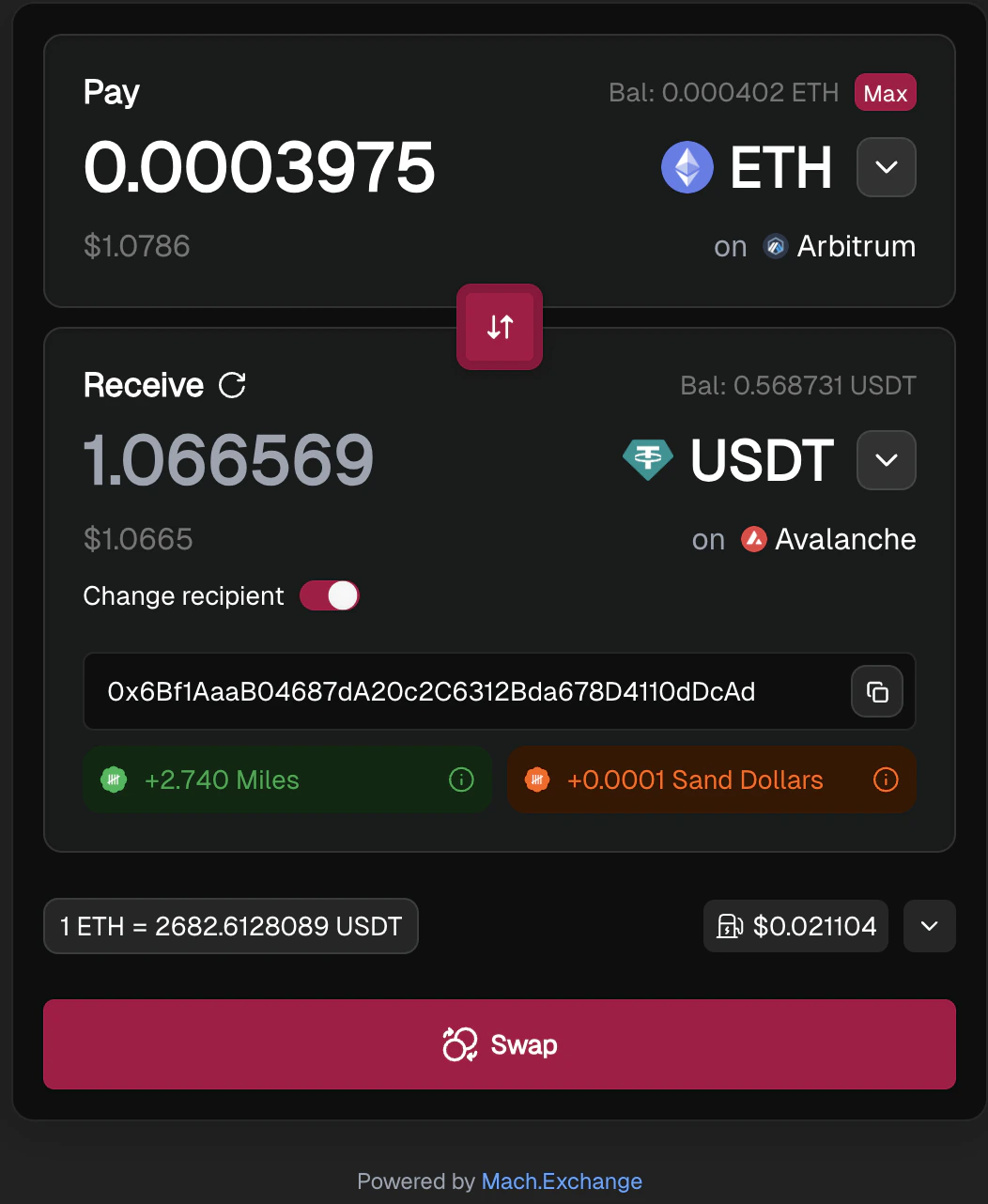
Embed with primary color, theme backgrounds hidden AI input, and destination wallet
To see it live, visit https://dev.mach.exchange/embed?themePrimary=%23AB0044&themeBackground=%23222222&hideAIInput=true&destinationWallet=0x7c5D073567f51a42B10a5B99519a51cea1959b79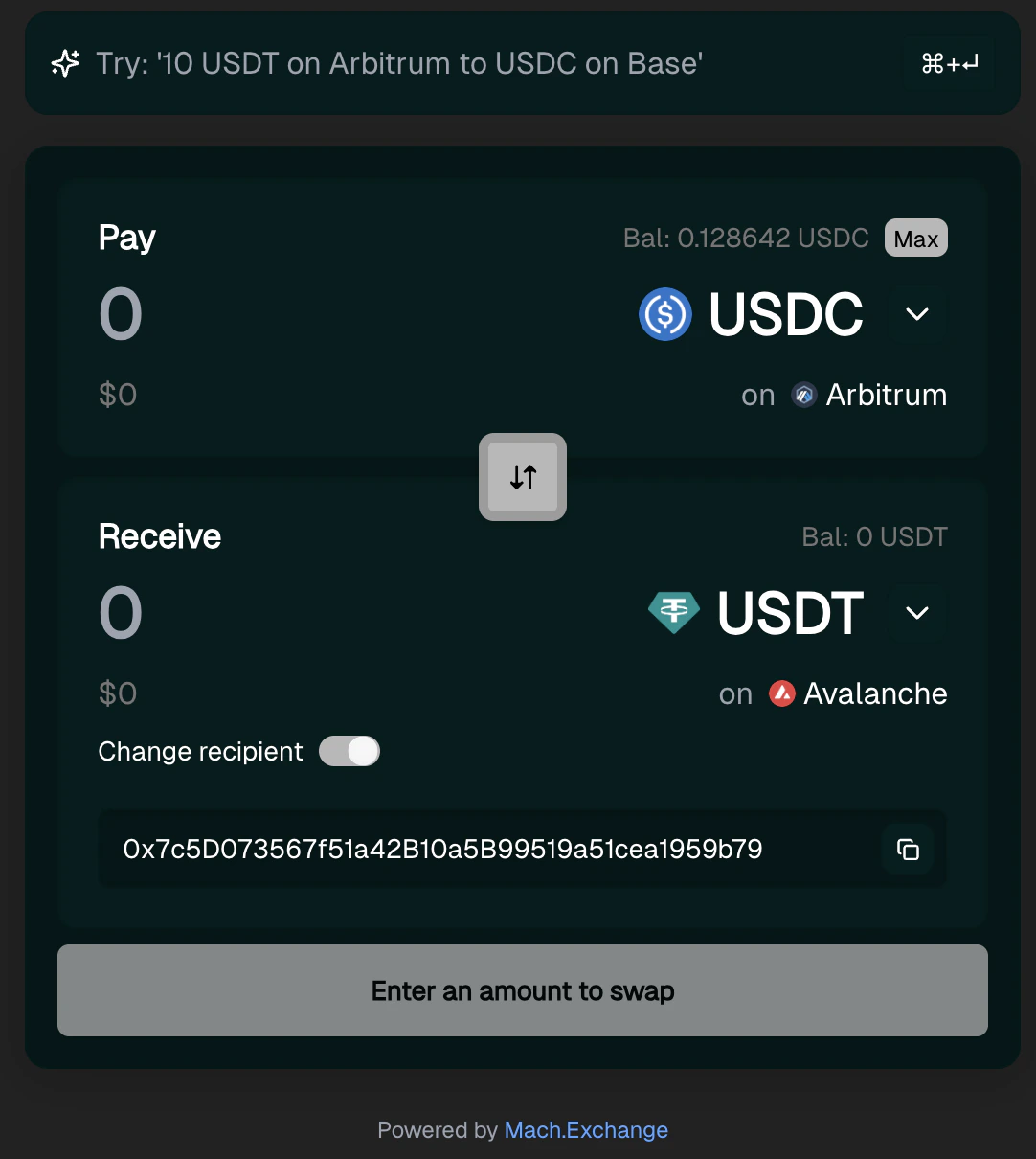
Embed with backgrounds, destination wallet, and using intuitive color defaults
To see it live, visit https://dev.mach.exchange/embed?themeBackground=%23222222&themeModalBackground=%23001A1A&useIntuitiveColorDefaults=true&destinationWallet=0x7c5D073567f51a42B10a5B99519a51cea1959b79